
AI agents are often described as “chatbots that can do things,” but that phrase is too vague to help you deploy one well. If you want an agent to reliably sort files, open websites, run commands, edit documents, extract data, or complete multi-step tasks with minimal supervision, you need a clearer model.
The useful mental model is this: a chatbot is mainly the language model inside a conversation box, while an agent is that same reasoning model connected to tools, memory, and an explicit goal loop. In practice, the difference is not the model alone. It is the operating environment wrapped around the model.
A strong example is personal document cleanup. A normal chatbot can explain how to sort invoices, receipts, screenshots, and PDFs into folders. An agent can inspect the folder, read the files, rename them consistently, create categories, and assemble a usable expense spreadsheet. That difference matters because most production use cases are not about better answers. They are about completed work.
What Actually Makes an AI Agent an Agent
An agent has four parts working together:
- The LLM: the reasoning engine that interprets instructions and decides next steps.
- Tools: browser, terminal, file system, APIs, editors, or app integrations.
- Memory: persistent instructions or reference files the agent reads at the start of work.
- Goals: a specific outcome with a clear definition of done.
Those pieces are tied together by a loop:
- Observe: inspect the current state of files, pages, outputs, logs, or responses.
- Think: decide the next best action based on what is true now.
- Act: use a tool to change something or gather missing information.
- Repeat until the goal is met.
This is why agents behave differently from one-turn assistants. They are not just answering. They are checking the environment, updating their plan, and acting repeatedly.
The operational implication is important: if your task has no clear environment to inspect, no tools to use, and no definition of done, the agent will tend to drift. If you provide those three things, performance improves sharply.
Start With the Right Kind of Task
The fastest way to get value from an agent is not to ask for “help.” It is to assign bounded execution.
Good first tasks:
- Clean and rename a messy downloads folder.
- Extract invoice data from PDFs and screenshots into a table.
- Build a simple internal tool from a written spec.
- Open several sites, compare pricing or features, and return a structured decision memo.
- Process a batch of files into a standard naming and folder scheme.
Bad first tasks:
- “Make my business better.”
- “Research everything about AI agents.”
- “Fix this project” with no repository, no objective, and no constraints.
The key is not complexity. It is observability. The agent needs something concrete to inspect, operate on, and verify.
Four Practical Agent Options and When to Use Each
The source material highlights four representative platforms, each winning for a different reason. The right choice depends less on hype and more on where the work happens.
Claude Code: Best When You Need Visible Reasoning and Mid-Task Steering
Claude Code is positioned as Anthropic’s desktop agent. The important practical point is that it is not only for software engineering. It can handle general computer tasks such as organizing folders, batch-renaming files, parsing PDFs, and extracting structured information from screenshots.
Typical setup flow described in the source:
- Download the desktop app for your operating system.
- Install it locally.
- Sign in with your Anthropic account.
- Open the app and choose a working folder.
- Enter the task in plain English.
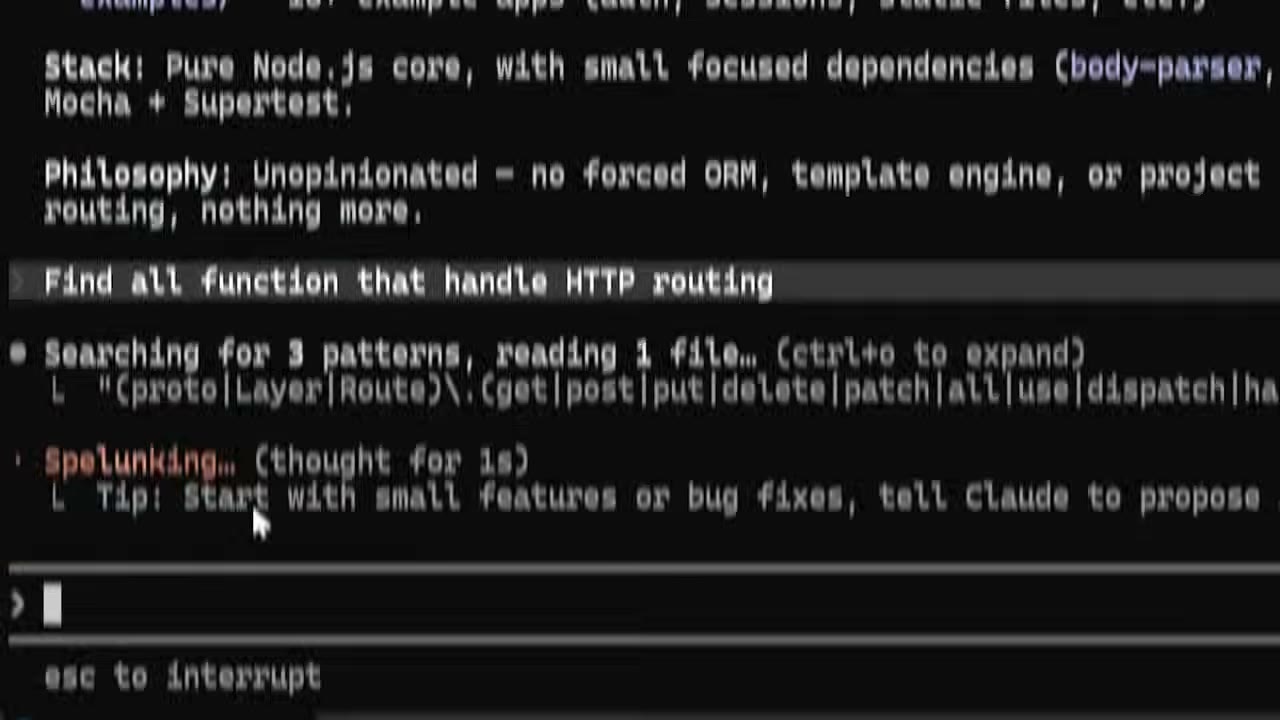
A practical strength here is transparency. The interface exposes the model’s intermediate reasoning and tool usage, which is useful when you are orchestrating a longer task and want to redirect it before it compounds a wrong assumption.
Configuration pitfall:
- Permission prompts can become the main bottleneck if you expect the agent to execute a long chain of small actions. If the platform exposes a permission bypass or reduced-confirmation mode, understand exactly what scope it grants before enabling it. Use it only in a controlled workspace.
Best use cases:
- Local file operations
- Multi-step desktop workflows
- Tasks where you want to inspect and steer the reasoning process
- Workflows that mix coding and non-coding actions
A good first prompt for a desktop agent is concrete and testable:
Goal: Read every file in this folder, categorize them into clear subfolders, rename each file as YYYY-MM-DD_vendor_document-type, and create a CSV of expenses with date, vendor, amount, and category.
Constraints: Do not delete original files. If a field is uncertain, mark it as REVIEW. Use only the files in the selected folder.
Format: Return a summary with folders created, files renamed, and CSV path.
Failure: If a file is unreadable, list it separately and continue.
OpenAI Codex: Lowest-Friction Entry for Existing ChatGPT Users
The source describes Codex as OpenAI’s official agent and the easiest entry point for people already inside the ChatGPT ecosystem. The practical advantage is reduced setup friction: if your team already uses OpenAI accounts and related workflows, adoption is easier because identity, billing, and model familiarity are already in place.
Typical setup flow described in the source:
- Create or sign in to an OpenAI account.
- Install Codex for your operating system.
- Open the app and connect it to your account or eligible plan.
- Point the agent at a folder or task environment.
- Start with a small real task rather than a broad prompt.
When this is the right choice:
- You already pay for ChatGPT-related plans and want the shortest path into agent workflows.
- You want a simpler adoption path for non-technical users.
- Your initial tasks are repository work, document work, or structured task automation rather than deep environment customization.
Common mistake:
- Treating the agent exactly like chat. If you only ask for explanations inside a conversational thread, you will not benefit from the tool layer. The moment you switch from “tell me how” to “inspect this environment and do it,” the product category changes.
Illustrative example command or task request:
Build a simple to-do list app in this folder with add, complete, and delete actions. Keep the UI minimal. When finished, run the project locally and tell me which file contains the main task state logic.
That request works because it includes scope, an environment, and an expected completion condition.
OpenClaw: Best for Messaging-Centric Agent Access
The source positions OpenClaw as an open-source agent accessible from messaging environments such as Telegram, WhatsApp, and iMessage. That design matters for teams that do not want a new heavyweight desktop workflow for every user.
Why this category is useful:
- Many operational tasks begin as messages: “summarize this attachment,” “check this order,” “send me the latest numbers,” or “turn this voice note into an action list.”
- A messaging-native agent lowers behavior change. Users work where they already communicate.
What to verify during setup:
- Which messaging platform is officially supported in your deployment.
- Whether the agent has access only to messages or also to external tools, files, and APIs.
- How authentication and user identity are mapped from the messaging app to backend permissions.
- Whether audit logging exists for regulated or customer-facing work.
Configuration pitfalls:
- Messaging convenience can hide permission sprawl. If an agent can act on behalf of a user from a chat channel, confirm which commands are read-only and which are write-capable.
- Multi-user chat environments need stronger confirmation patterns for destructive actions.
A practical first deployment is internal operations support: ask the agent in chat to retrieve a document, summarize recent activity, or convert informal requests into structured tasks.
Google Antigravity: Strong Fit for Visual and Front-End-Oriented Work
The source describes Google Antigravity as a visual agent built on Gemini and particularly strong for front-end and design-related workflows. This is a reminder that not all agents are optimized for the same output style. Some are better at interface iteration, layout interpretation, or visually grounded tasks.
Use this type of agent when the task is about:
- reviewing UI states,
- proposing layout refinements,
- translating interface intent into front-end work,
- iterating on design-heavy prototypes.
Practical evaluation criteria:
- Can it inspect and reason over screenshots or UI states effectively?
- Can it make front-end changes, not just describe them?
- Does it maintain visual consistency across multiple screens?
- Can you constrain design changes with an existing system or component library?

A common pitfall in visual-agent workflows is under-specifying the design system. If you say “make it cleaner,” the output often becomes generic. If you specify spacing rules, brand colors, component constraints, and acceptance criteria, the result becomes materially more usable.
The Prompt Contract That Prevents Agent Drift
One of the most useful ideas in the source is the four-part prompt contract:
- Goal
- Constraints
- Format
- Failure handling
This is more than a writing trick. It is an execution control structure.
1. Goal
The goal should describe the finished state, not the general intention.
Weak:
Organize my files.
Strong:
Inspect the files in this folder, group them into category folders, rename them consistently, and generate a CSV with one row per expense.
A good goal is observable. You can check whether it happened.
2. Constraints
Constraints keep the agent inside safe and relevant boundaries.
Useful constraints include:
- Do not delete originals.
- Ask before sending messages or publishing changes.
- Use only files in this directory.
- Do not install dependencies without approval.
- Mark uncertain fields as
REVIEW. - Stop if total cost exceeds a specified limit.
Constraints are especially important when the agent has browser, terminal, or file access.
3. Format
Specify how the result should be returned.
Examples:
- Markdown summary with sections for actions taken and unresolved items
- CSV output with exact column names
- JSON object with keys
status,artifacts, andissues - Pull request plus a short implementation note
Without an output format, the agent may complete the work but report it in a way that is hard to validate or reuse.
4. Failure Handling
Tell the agent what to do when reality is messy.
Examples:
- If a file is unreadable, list it and continue.
- If two vendors look similar, flag both for review instead of guessing.
- If a command fails twice, stop and summarize the blocker.
- If required credentials are missing, return the exact setup needed.
Failure handling makes the agent robust. Otherwise, it tends either to hallucinate or to stop too early.
Build a Reusable Memory File So You Stop Repeating Yourself
The source also emphasizes memory files: instructions the agent reads at the start of each session. This is one of the highest-leverage practices in production use.
A memory file is not a diary. It is a compact operating manual for how you want the agent to work.
Include items such as:
- preferred naming conventions,
- approved tools,
- forbidden actions,
- code style rules,
- business vocabulary,
- escalation rules,
- output templates,
- environment notes.
Example memory file:
Project rules:
- Do not delete source files unless explicitly told.
- Prefer CSV for tabular exports.
- Mark uncertain extracted values as REVIEW.
- For invoices, use columns: date, vendor, amount, currency, category, source_file.
- For coding tasks, explain changed files and how to verify.
- If blocked by missing credentials, stop and list the exact credential name needed.
Why this works:
- The agent starts aligned instead of cold.
- Repeated workflows become more consistent.
- Teams reduce prompt length without losing standards.
Memory pitfall:
- If the file becomes long and contradictory, the agent may follow the wrong rule. Keep it short, specific, and current.
A Safe Rollout Path for Real Work
Do not start with business-critical automation that can mutate live systems. Start with low-risk tasks where verification is easy.
Recommended rollout order:
- Read-only summarization of folders, websites, or repos.
- Structured extraction into draft outputs.
- Local file organization or code generation in a sandbox folder.
- Approval-gated actions such as sending emails, publishing content, or editing shared systems.
- Broader autonomous runs only after repeated successful validation.
This progression matters because the quality of an agent is not just model intelligence. It is the reliability of the surrounding process.
Concrete Setup Decisions That Matter More Than the Model Name
When evaluating or configuring an agent, make these decisions explicitly:
- Tool scope: Which tools does the agent actually need? Browser only? Browser plus filesystem? Terminal plus repo access?
- Permission model: Does every action need approval, or only risky actions?
- Workspace boundary: Which folder, repo, or app environment is in scope?
- Output contract: What exact artifact counts as done?
- Human intervention rule: When should the agent ask instead of guessing?
- Logging: How will you inspect what it did?
If you skip these decisions, even a strong model produces uneven results.
Practical Examples You Can Reuse
Example 1: Folder Cleanup and Expense Extraction
Goal: Process all files in this folder into a tax-prep structure. Create category folders, rename files as YYYY-MM-DD_vendor_type, and generate expenses.csv.
Constraints: Keep originals. Do not move unreadable files. Mark uncertain fields as REVIEW.
Format: Return a Markdown report with totals, folder names, renamed files count, and CSV location.
Failure: If a date or amount cannot be extracted confidently, leave the field blank and list the file under exceptions.
Example 2: Front-End Agent Task
Goal: Improve the dashboard layout for readability on desktop and mobile.
Constraints: Keep the existing design system, do not introduce new dependencies, and preserve current data flows.
Format: Return changed files, screenshots generated, and a brief explanation of layout decisions.
Failure: If a component is shared and the change could affect other pages, stop and identify the dependency first.
Example 3: Messaging Agent for Operations
Goal: Turn incoming customer issue messages into structured support tickets.
Constraints: Do not send outbound replies automatically. Redact payment details from summaries.
Format: JSON with priority, product_area, short_summary, and recommended_next_action.
Failure: If intent is unclear, classify as needs_review.
Final Operational Checklist
Use this checklist before trusting an agent with meaningful work:
- The task has a concrete environment to inspect.
- The goal defines a visible finished state.
- Constraints prevent destructive or out-of-scope behavior.
- Output format is explicit and easy to validate.
- Failure behavior is specified.
- Permissions are limited to the minimum needed.
- A memory file exists for recurring standards.
- The first run happens in a low-risk workspace.
- You can review logs, outputs, or tool actions afterward.
- You have a manual approval step for external or irreversible actions.
Used this way, AI agents become much more than better chat interfaces. They become execution systems: model plus tools, grounded in state, working toward a concrete result, with enough structure to be useful in real operations.
Source attribution: Based on the YouTube tutorial “AI Agents Explained: How to Create and Use AI Agents in 2026” by AI Master. URL: https://www.youtube.com/watch?v=4TvH-OZhwxI